

Agent Skills
Agent Skills are portable instruction files that give AI agents deep knowledge about specific tools and workflows. Interlace publishes official skills so that agents in Cursor, Claude Code, Gemini CLI, OpenCode, and other environments can set up integrations and search your data without you having to explain how every time.
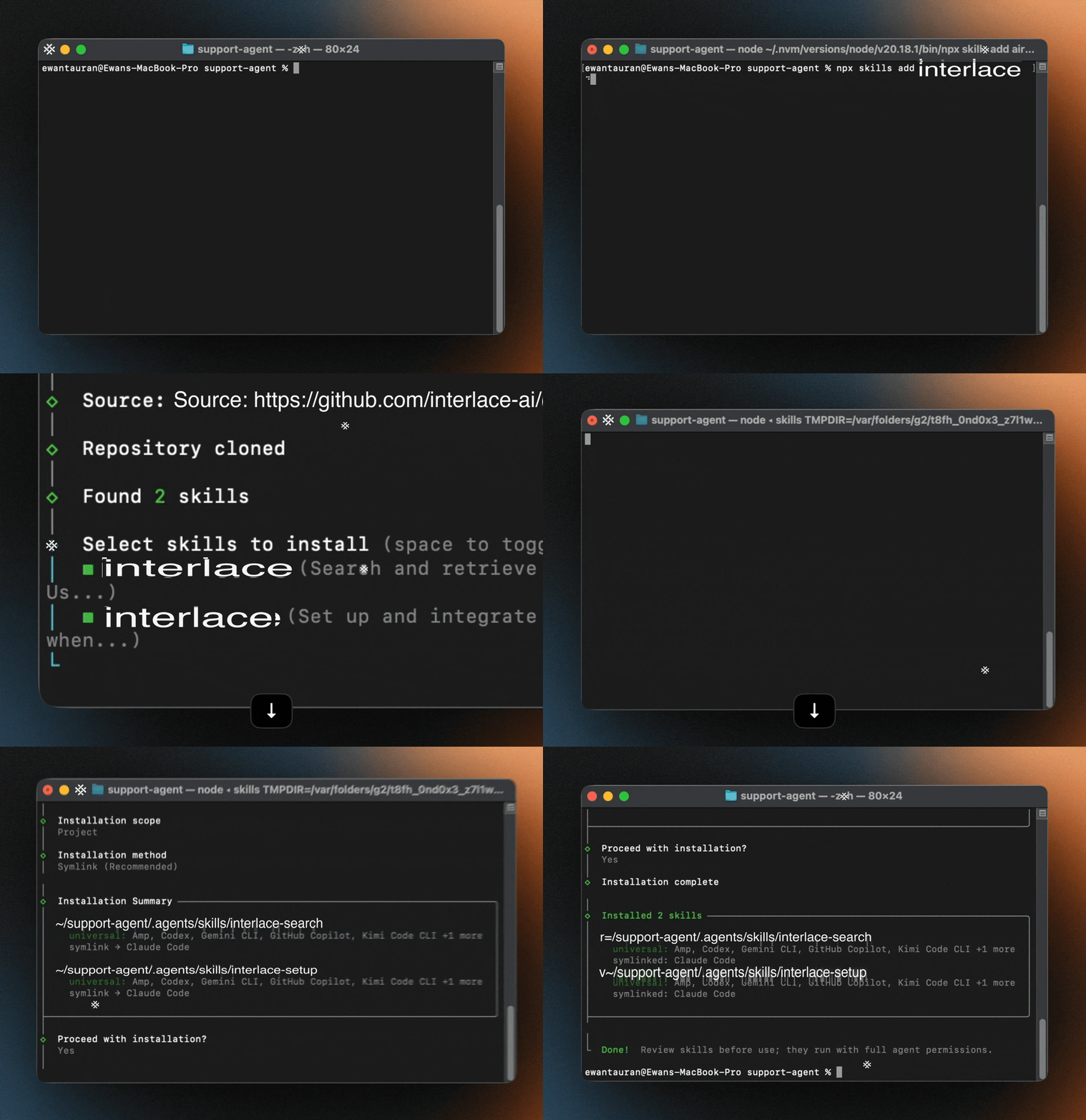
Skills are installed via the skills CLI and live in your project as markdown files that the agent reads on demand.
Available skills
Interlace currently publishes two official skills, plus a community listing on OpenClaw.
interlace-setup
The setup skill is the go-to resource when an agent needs to help you integrate Interlace into a project. It covers:
- Quick Start: Interlace Cloud sign-up or self-hosted deployment
- SDK installation: Python (
interlace-sdk) and TypeScript (@interlace/sdk) - Core workflow: Creating collections, adding source connections, running searches
- MCP configuration: Setting up the MCP server for Cursor, Claude Desktop, VS Code, and cloud platforms
- Search tiers: When to use instant, classic, or agentic search, and how to use filters
- Troubleshooting: Common issues with auth, sync, and rate limits
The skill also ships with companion reference files: SDK-REFERENCE.md, MCP-SETUP.md, and SEARCH-PATTERNS.md.
interlace-search
The search skill activates when you ask your agent questions about data in your connected apps, like “What did we discuss in Slack about the launch?” or “Find the API docs in Notion”. It teaches the agent to:
- Decide when to search: Distinguishes between questions that need Interlace and general knowledge questions
- Formulate effective queries: Maps natural language intent to concise semantic search queries
- Select the right search tier: Chooses between instant, classic, and agentic search based on context
- Interpret and present results: Scores, source attribution, synthesis, and graceful handling of no-result scenarios
- Find the right MCP tool: Locates the
search-{collection}tool among available MCP tools
The skill includes PARAMETERS.md for deep parameter guidance and EXAMPLES.md for real conversation patterns.
Installation
Install one or both skills into your project with the skills CLI:
The CLI detects your AI assistant (Cursor, Claude Code, Gemini CLI, etc.) and places the skill files in the correct location. Once installed, your agent will automatically pick up the skills when relevant tasks come up.
Skills are just markdown files with no runtime dependencies and no build steps. You can inspect and customize them after installation.
How skills work
When you ask your AI agent to do something Interlace-related, the skill system follows this flow:
- Discovery: The agent sees the installed skill files in your project
- Trigger: Based on your request, the agent decides which skill is relevant
- Apply: The agent reads the skill’s instructions and supporting reference files
- Execute: The agent follows the skill’s guidance to complete the task (install SDKs, configure MCP, run searches, etc.)
Skills work with MCP tools, code execution, and as guided instructions depending on what the task requires.
OpenClaw Skill
Interlace is also listed on OpenClaw, a community directory for AI agent tools and integrations. The OpenClaw listing provides an alternative way to discover and evaluate Interlace’s capabilities for your agent workflows.
Source repository
All Interlace skills are open source and maintained in the interlace-ai/skills repository. Contributions are welcome. You can add new skills or improve existing ones by opening a pull request.